What it does
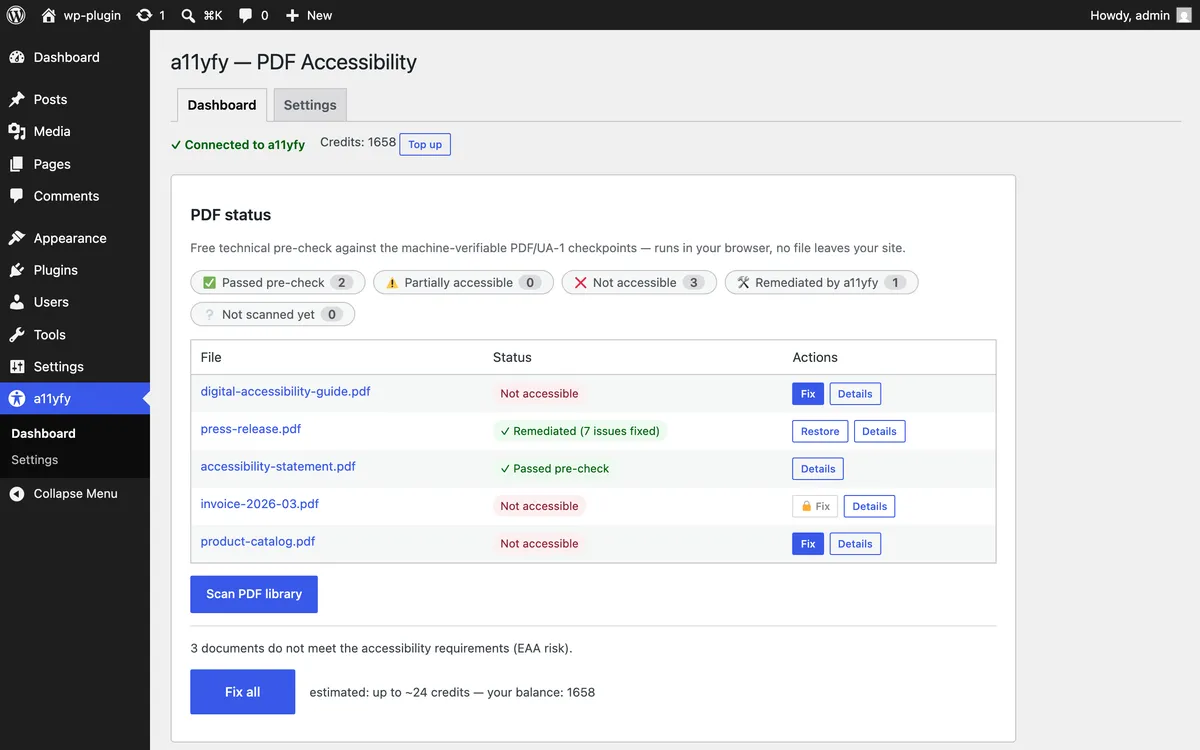
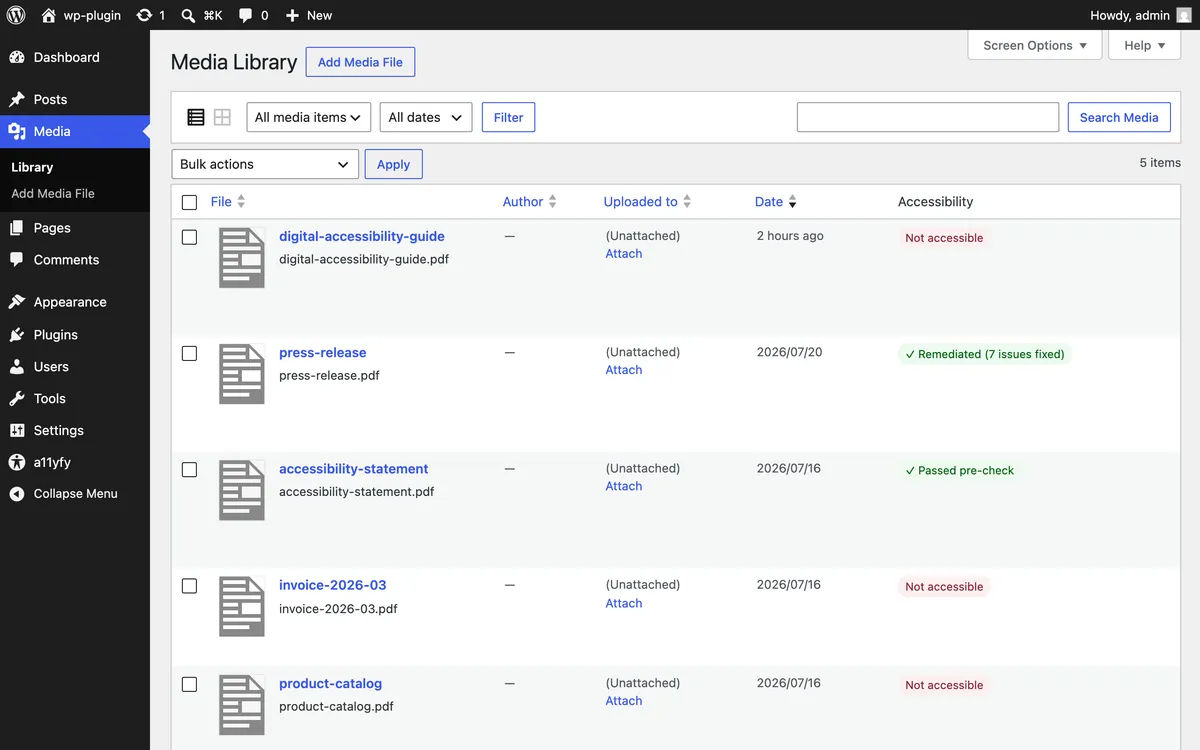
- Discovers every PDF in your media library and content.
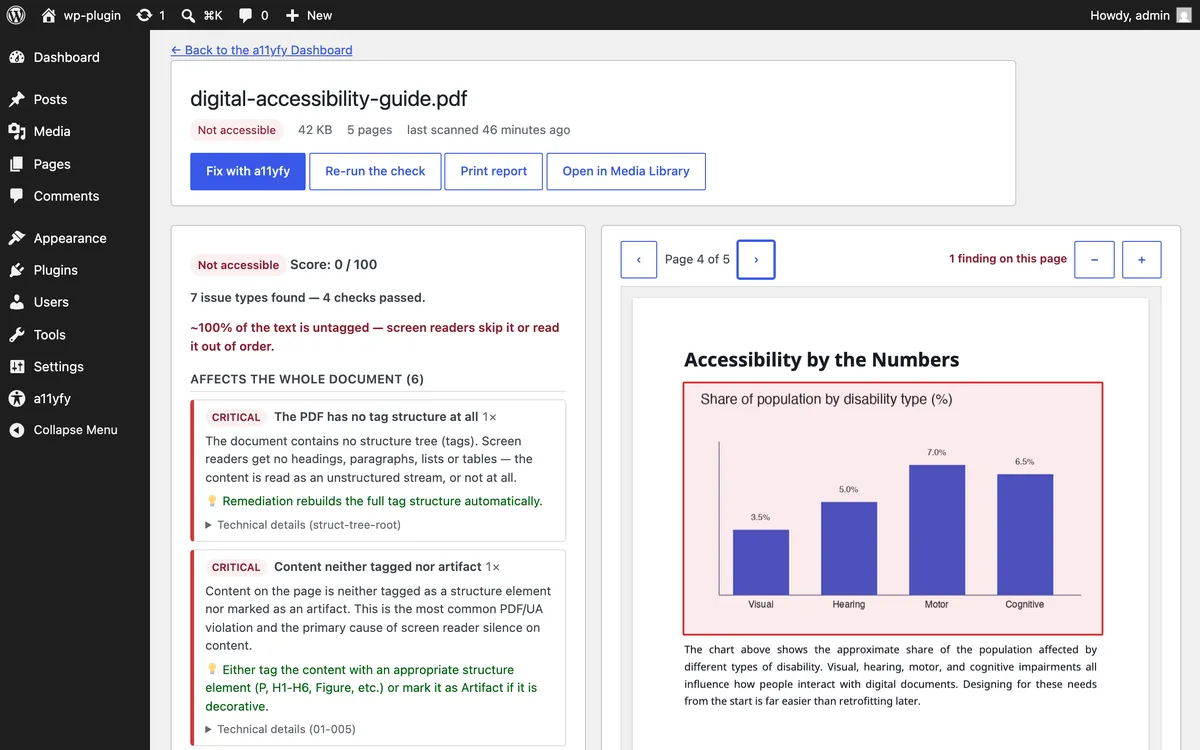
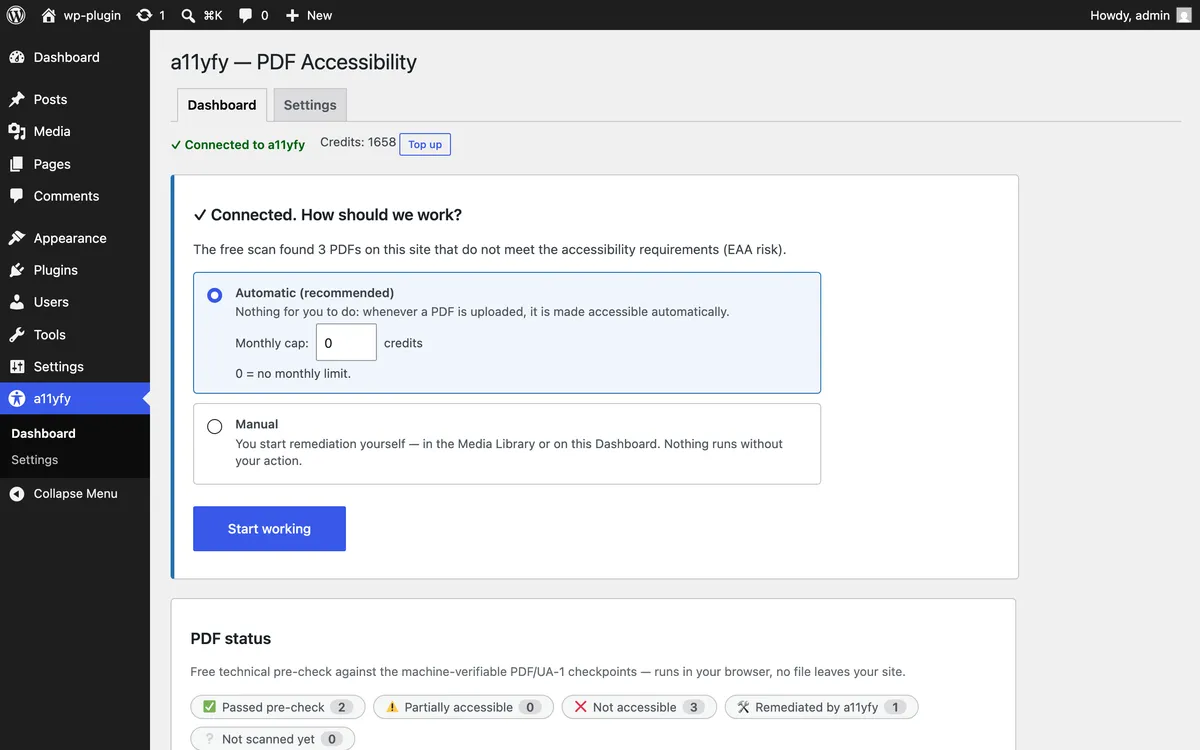
- Checks them against the machine-checkable PDF/UA requirements and shows an understandable issue list in your dashboard — not a wall of jargon.
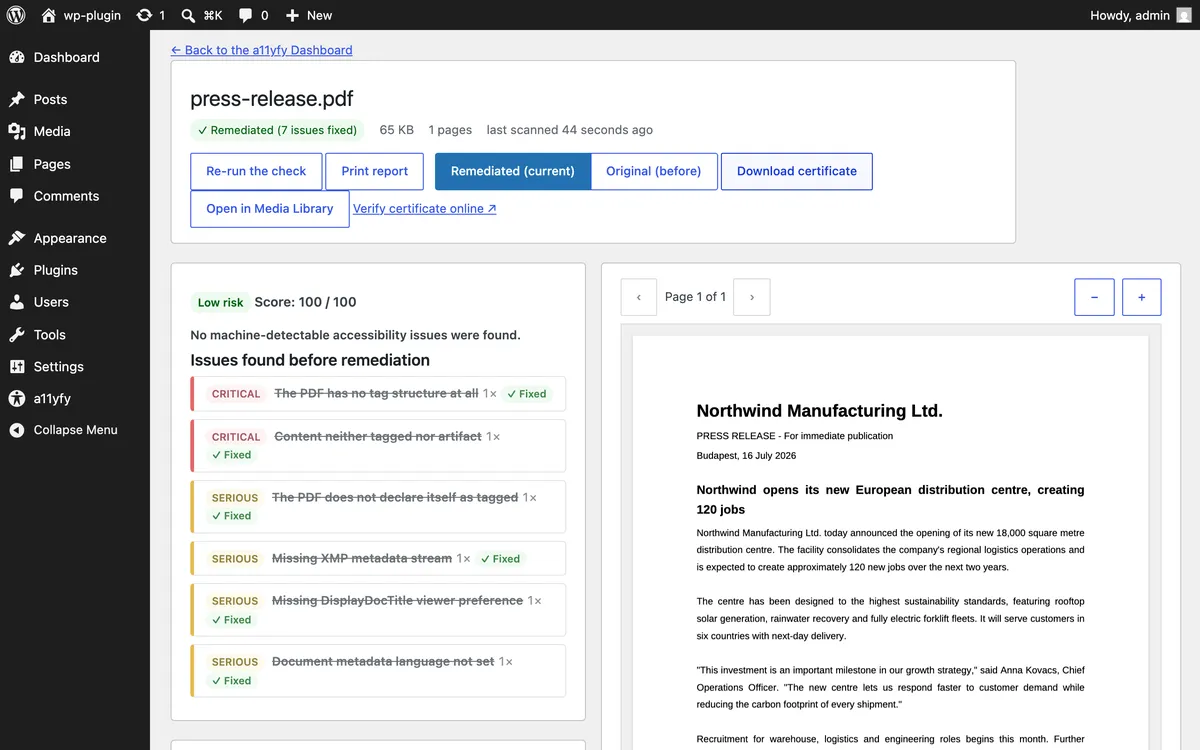
- Remediates with one action, using the same pipeline as the web app: the estimated credit cost and your balance are visible before anything runs.
- Replaces in place — the accessible version takes over the original URL; visitors and search engines notice nothing except that the document now works with a screen reader.
- Protects the result. If an optimizer plugin or a re-upload overwrites the remediated file, the plugin detects the tampering and lets you re-apply the accessible version in one click, at no extra credit cost.
The plugin in action
Why it matters for WordPress sites specifically
Under both the EU rules and ADA guidance, the documents linked from your pages are part of your site's accessibility. A single inaccessible PDF — a menu, a price list, a form — is a real barrier and a real finding in an audit. The plugin turns that from a manual audit chore into a dashboard column.
Get the plugin
The plugin is published in the official WordPress.org plugin directory — install it straight from your admin under Plugins → Add New by searching for “a11yfy”. The source code is public at github.com/a11yfy/wp-plugin.
Pricing → · How the pipeline works → · Plugin on WordPress.org →